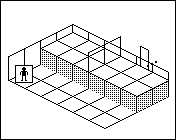
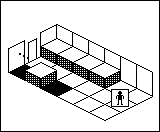
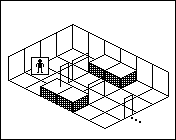
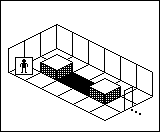
Wordless Manual

How to play

The manual has no words

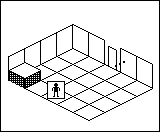
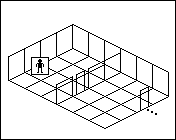
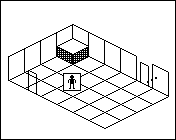
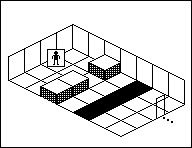
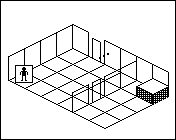
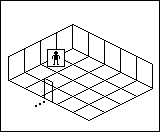
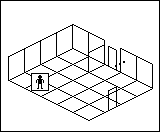
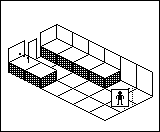
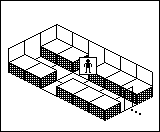
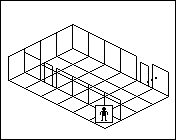
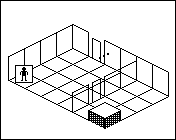
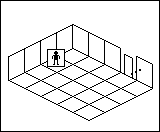
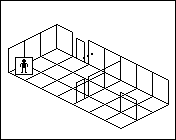
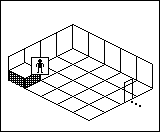
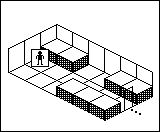
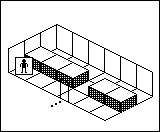
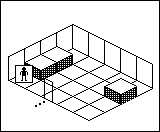
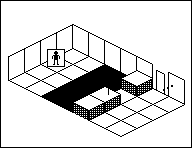
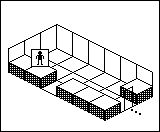
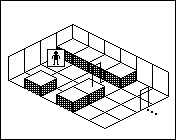
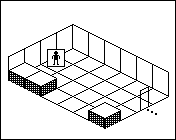
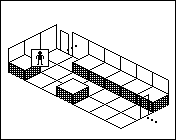
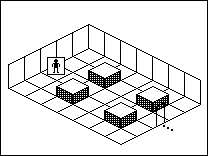
You wake up in a showroom after closing. The floor arrows lead back to where you started, and your only guide is an assembly manual drawn in pictures. Each room is a kit: read its page, change the room, and walk out.

Keys: → or Space next, ← back, 1 to 8 jump, A autoplay.

The guide, step by step

1 Read the manual page

Every room comes with one manual page, read from top to bottom. Each row is one thing to do: look at the room, fit the door, fix it with a screw, walk out.

Try it: select a row of the manual to see what it means.

2 Place a piece

The pieces for the room wait in the tray. Pick one up, then fit it into a matching outline in the room. In the game you can also drag it there.

Try it: put the door in the outline, then the screw in the door.

3 Change a piece

Placed pieces can be turned, put back in the tray or swapped, and some open and close.

Try it: select a placed piece to put it back in the tray.

4 Press Go

Go fills in when the way out is complete. Press it and the visitor walks out. Press it too early and the gap in the route lights up. Nothing is lost.

Try it: press Go before the door is in, then after.

5 Undo, start again, ask for a hint

There is no way to fail. Undo takes back one move, Start again rebuilds the kit, and Hint points at the next row and the piece it means, a little more each time you ask.

Try it: use Undo or Hint once.

6 Free the night staff

When the visitor walks out, the kit is done and its box in the cabinet is taped shut. Some kits also add a page to the album: a story told in pictures, one page at a time. The last kit of each department frees one of the night staff.

Try it: finish the room and walk the visitor out.

7 Sometimes, wait

In some rooms things move on their own: someone crossing, a trolley rolling. In those rooms a Wait button lets one moment pass, so you can watch what moves.

Try it: press Wait and watch the visitor.

8 Four departments, forty kits

Kitchens, Bedrooms, Lighting and the Warehouse hold ten kits each. New kits open as you finish earlier ones, and each department opens when the one before it is done. Look closely: some rooms hide a little extra.

  • Kitchens
  • Bedrooms
  • Lighting
  • Warehouse

Cheat sheet

Every kit can be solved by reading its page. If you are really stuck, the solutions are here, one step at a time, so you only see as much as you need. They do not show any extras hidden in the rooms.

Spoilers: Stuck? Show solutions

Open a department, then a kit. Each kit shows its room plan and manual page; press the button to see one more step.
Kitchens
Kitchens kit 1
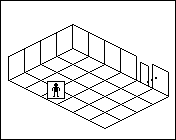
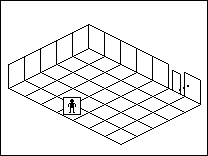
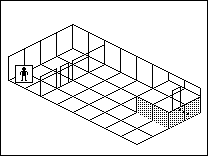
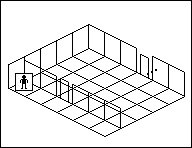
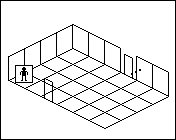
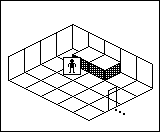
Room plan of Kitchens kit 1: the floor, the walls, the exit and where the visitor stands.
Room plan, a diagram rather than a screenshot. A numbered mark shows where each step you open happens.

The manual page

  1. Look
  2. Door
  3. Fix it
  4. Walk
  1. Step 1: Drag the door from the tray to the outline on the right wall.
  2. Step 2: Put the screw into the door.
  3. Step 3: Press Go.

Kitchens kit 2
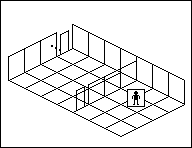
Room plan of Kitchens kit 2: the floor, the walls, the exit and where the visitor stands.
Room plan, a diagram rather than a screenshot. A numbered mark shows where each step you open happens.

The manual page

  1. Lift the panel
  2. Turn
  3. Against a wall
  4. Walk
  1. Step 1: Lift the counter back into the tray.
  2. Step 2: Turn the counter a quarter turn.
  3. Step 3: Fix the counter against the right-hand wall.
  4. Step 4: Press Go.

Kitchens kit 3
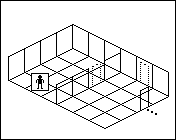
Room plan of Kitchens kit 3: the floor, the walls, the exit and where the visitor stands.
Room plan, a diagram rather than a screenshot. A numbered mark shows where each step you open happens.

The manual page

  1. Drawer
  2. Hinge
  3. Screw
  4. Turn
  1. Step 1: Open the drawer.
  2. Step 2: Place the hinge where the two panels meet.
  3. Step 3: Put the screw into the hinge.
  4. Step 4: Swing the right-hand panel open.
  5. Step 5: Press Go.

Kitchens kit 4
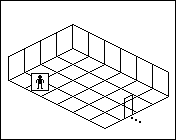
Room plan of Kitchens kit 4: the floor, the walls, the exit and where the visitor stands.
Room plan, a diagram rather than a screenshot. A numbered mark shows where each step you open happens.

The manual page

  1. Door
  2. Screw
  3. Walk
  1. Step 1: Put the door in the outline at the top.
  2. Step 2: Put the screw into the door.
  3. Step 3: Press Go.

Kitchens kit 5
Room plan of Kitchens kit 5: the floor, the walls, the exit and where the visitor stands.
Room plan, a diagram rather than a screenshot. A numbered mark shows where each step you open happens.

The manual page

  1. Take away
  2. Lift the panel
  3. Fix it
  4. Route
  1. Step 1: Take the cap off the island.
  2. Step 2: Lay the bridge panel across the sink.
  3. Step 3: Fit the threshold plate at the exit.
  4. Step 4: Press Go.

Kitchens kit 6
Room plan of Kitchens kit 6: the floor, the walls, the exit and where the visitor stands.
Room plan, a diagram rather than a screenshot. A numbered mark shows where each step you open happens.

The manual page

  1. Turn
  2. Stair
  3. Climb
  1. Step 1: Fold the cupboard panel flat.
  2. Step 2: Put the stair under the cupboard top.
  3. Step 3: Press Go.

Kitchens kit 7
Room plan of Kitchens kit 7: the floor, the walls, the exit and where the visitor stands.
Room plan, a diagram rather than a screenshot. A numbered mark shows where each step you open happens.

The manual page

  1. Arrow left
  2. Take away
  3. Route
  1. Step 1: Turn the floor arrow to point left.
  2. Step 2: Lift the hatch lid away.
  3. Step 3: Press Go.

Kitchens kit 8
Room plan of Kitchens kit 8: the floor, the walls, the exit and where the visitor stands.
Room plan, a diagram rather than a screenshot. A numbered mark shows where each step you open happens.

The manual page

  1. Take away
  2. Turn twice
  3. Fix it
  4. Open
  1. Step 1: Take the door off the inner side of the frame.
  2. Step 2: Turn the door a quarter turn.
  3. Step 3: Turn the door once more, so it faces you.
  4. Step 4: Fix the door on the outer side of the frame.
  5. Step 5: Put the hinge on the door.
  6. Step 6: Open the door.
  7. Step 7: Press Go.

Kitchens kit 9
Room plan of Kitchens kit 9: the floor, the walls, the exit and where the visitor stands.
Room plan, a diagram rather than a screenshot. A numbered mark shows where each step you open happens.

The manual page

  1. Reverse arrow
  2. Arrow right
  3. Walk
  1. Step 1: Turn the top floor arrow.
  2. Step 2: Turn it again, so it points right.
  3. Step 3: Turn the arrow by the exit to point at the exit.
  4. Step 4: Press Go.

Kitchens kit 10
Room plan of Kitchens kit 10: the floor, the walls, the exit and where the visitor stands.
Room plan, a diagram rather than a screenshot. A numbered mark shows where each step you open happens.

The manual page

  1. Door
  2. Open
  3. People
  4. Route
  1. Step 1: Put the door in the outline, not the cap.
  2. Step 2: Put the hinge on the door.
  3. Step 3: Turn the hinge a quarter turn.
  4. Step 4: Open the door.
  5. Step 5: Press Wait 3 times and watch.
  6. Step 6: Press Go.

Bedrooms
Bedrooms kit 1
Room plan of Bedrooms kit 1: the floor, the walls, the exit and where the visitor stands.
Room plan, a diagram rather than a screenshot. A numbered mark shows where each step you open happens.

The manual page

  1. Turn twice
  2. Line up
  3. Move
  1. Step 1: Turn the foot half of the bed a quarter turn.
  2. Step 2: Turn it once more, so it faces the head half.
  3. Step 3: Move the foot half onto the bed outline.
  4. Step 4: Move the head half onto the outline beside it.
  5. Step 5: Press Go.

Bedrooms kit 2
Room plan of Bedrooms kit 2: the floor, the walls, the exit and where the visitor stands.
Room plan, a diagram rather than a screenshot. A numbered mark shows where each step you open happens.

The manual page

  1. Take away
  2. Door
  3. Walk
  1. Step 1: Take the back panel off the wardrobe.
  2. Step 2: Hang the door in the outline behind the wardrobe.
  3. Step 3: Press Go.

Bedrooms kit 3
Room plan of Bedrooms kit 3: the floor, the walls, the exit and where the visitor stands.
Room plan, a diagram rather than a screenshot. A numbered mark shows where each step you open happens.

The manual page

  1. Mirror
  2. Arrow left
  3. Open
  1. Step 1: Hang the mirror on the right-hand wall.
  2. Step 2: Turn the floor arrow to point left, as it does in the mirror.
  3. Step 3: Swing the left panel open.
  4. Step 4: Press Go.

Bedrooms kit 4
Room plan of Bedrooms kit 4: the floor, the walls, the exit and where the visitor stands.
Room plan, a diagram rather than a screenshot. A numbered mark shows where each step you open happens.

The manual page

  1. Rail
  2. Fix it
  3. Curtain
  4. Route
  1. Step 1: Fit the curtain rail above the painted doorway.
  2. Step 2: Put the screw into the rail.
  3. Step 3: Hang the curtain on the rail.
  4. Step 4: Draw the curtain aside.
  5. Step 5: Press Go.

Bedrooms kit 5
Room plan of Bedrooms kit 5: the floor, the walls, the exit and where the visitor stands.
Room plan, a diagram rather than a screenshot. A numbered mark shows where each step you open happens.

The manual page

  1. Take away
  2. Stair down
  3. Walk
  1. Step 1: Lift the bed panel away from under the loft.
  2. Step 2: Fit the stair where the plan marks it.
  3. Step 3: Press Go.

Bedrooms kit 6
Room plan of Bedrooms kit 6: the floor, the walls, the exit and where the visitor stands.
Room plan, a diagram rather than a screenshot. A numbered mark shows where each step you open happens.

The manual page

  1. Take away
  2. Turn twice
  3. Hinge
  4. Open
  1. Step 1: Take the wardrobe door down.
  2. Step 2: Turn the door a quarter turn.
  3. Step 3: Turn it once more, so it faces the room.
  4. Step 4: Hang the door in the frame, facing the room.
  5. Step 5: Put the hinge on the far side, not the printed one.
  6. Step 6: Open the door.
  7. Step 7: Press Go.

Bedrooms kit 7
Room plan of Bedrooms kit 7: the floor, the walls, the exit and where the visitor stands.
Room plan, a diagram rather than a screenshot. A numbered mark shows where each step you open happens.

The manual page

  1. Open
  2. Stack
  3. Lift the panel
  4. Walk
  1. Step 1: Open the bedside drawer.
  2. Step 2: Set the bedside box against the window seat.
  3. Step 3: Turn the box step a quarter turn.
  4. Step 4: Set the step against the box.
  5. Step 5: Lay the flat panel across the gap under the bed.
  6. Step 6: Press Go.

Bedrooms kit 8
Room plan of Bedrooms kit 8: the floor, the walls, the exit and where the visitor stands.
Room plan, a diagram rather than a screenshot. A numbered mark shows where each step you open happens.

The manual page

  1. Turn the mirror away
  2. Arrow right
  3. Door
  1. Step 1: Turn the mirror edge-on, away from the room.
  2. Step 2: Turn the floor arrow.
  3. Step 3: Turn it again, so it points at the real door.
  4. Step 4: Open the door.
  5. Step 5: Press Go.

Bedrooms kit 9
Room plan of Bedrooms kit 9: the floor, the walls, the exit and where the visitor stands.
Room plan, a diagram rather than a screenshot. A numbered mark shows where each step you open happens.

The manual page

  1. Swap
  2. Turn
  3. Connect
  4. Route
  1. Step 1: Swap the two halves of the room.
  2. Step 2: Turn the half with the door a quarter turn.
  3. Step 3: Fit the threshold plate at the exit.
  4. Step 4: Press Go.

Bedrooms kit 10
Room plan of Bedrooms kit 10: the floor, the walls, the exit and where the visitor stands.
Room plan, a diagram rather than a screenshot. A numbered mark shows where each step you open happens.

The manual page

  1. Take away
  2. Door
  3. People
  4. Open
  1. Step 1: Take the drawn cap off the doorway.
  2. Step 2: Hang the door in the doorway.
  3. Step 3: Fit the hinge where the plan marks it.
  4. Step 4: Open the door.
  5. Step 5: Press Wait 4 times and watch.
  6. Step 6: Press Go.

Lighting
Lighting kit 1
Room plan of Lighting kit 1: the floor, the walls, the exit and where the visitor stands.
Room plan, a diagram rather than a screenshot. A numbered mark shows where each step you open happens.

The manual page

  1. Cable
  2. Light
  3. Door
  1. Step 1: Put the corner cable on the lit outlet.
  2. Step 2: Switch the floor switch on.
  3. Step 3: Hang the door in the lit doorway.
  4. Step 4: Press Go.

Lighting kit 2
Room plan of Lighting kit 2: the floor, the walls, the exit and where the visitor stands.
Room plan, a diagram rather than a screenshot. A numbered mark shows where each step you open happens.

The manual page

  1. Light
  2. Reflect
  3. Look
  4. Route
  1. Step 1: Set the lamp on its base.
  2. Step 2: Turn the reflector so the light goes up to the door.
  3. Step 3: Press Go.

Lighting kit 3
Room plan of Lighting kit 3: the floor, the walls, the exit and where the visitor stands.
Room plan, a diagram rather than a screenshot. A numbered mark shows where each step you open happens.

The manual page

  1. Three-way cable
  2. Straight cable
  3. Corner cable
  4. Light
  1. Step 1: Put the three-way cable in the middle.
  2. Step 2: Put the straight cable above it.
  3. Step 3: Put the corner cable below it.
  4. Step 4: Switch the switch on.
  5. Step 5: Press Go.

Lighting kit 4
Room plan of Lighting kit 4: the floor, the walls, the exit and where the visitor stands.
Room plan, a diagram rather than a screenshot. A numbered mark shows where each step you open happens.

The manual page

  1. Lift the panel
  2. Close
  3. Look
  4. Door
  1. Step 1: Fit the shutter in the light opening, not the dark rectangle.
  2. Step 2: Put the hinge on the shutter.
  3. Step 3: Close the shutter.
  4. Step 4: Press Go.

Lighting kit 5
Room plan of Lighting kit 5: the floor, the walls, the exit and where the visitor stands.
Room plan, a diagram rather than a screenshot. A numbered mark shows where each step you open happens.

The manual page

  1. Look
  2. Door
  3. Turn
  4. Walk
  1. Step 1: Set the signal lamp on its base and watch it.
  2. Step 2: Put the door tile in the first slot.
  3. Step 3: Put the turn tile in the second slot.
  4. Step 4: Put the person tile in the third slot.
  5. Step 5: Swing the exit door open.
  6. Step 6: Press Go.

Lighting kit 6
Room plan of Lighting kit 6: the floor, the walls, the exit and where the visitor stands.
Room plan, a diagram rather than a screenshot. A numbered mark shows where each step you open happens.

The manual page

  1. Take away
  2. Aim right
  3. Aim left
  4. Light
  1. Step 1: Take the prism away.
  2. Step 2: Turn the left reflector to send the light right.
  3. Step 3: Turn the right reflector to send the light up to the door.
  4. Step 4: Press Go.

Lighting kit 7
Room plan of Lighting kit 7: the floor, the walls, the exit and where the visitor stands.
Room plan, a diagram rather than a screenshot. A numbered mark shows where each step you open happens.

The manual page

  1. Move the lamp
  2. Fix it
  3. Stair
  4. Climb
  1. Step 1: Move the lamp to the outline in the middle.
  2. Step 2: Fit the threshold plate in the lit doorway.
  3. Step 3: Put the stair against the landing.
  4. Step 4: Press Go.

Lighting kit 8
Room plan of Lighting kit 8: the floor, the walls, the exit and where the visitor stands.
Room plan, a diagram rather than a screenshot. A numbered mark shows where each step you open happens.

The manual page

  1. Unplug the loop
  2. Connect
  3. One light
  1. Step 1: Take the loop cable out of the outlet.
  2. Step 2: Put the bypass cable in the outlet.
  3. Step 3: Switch on the lamp by the exit.
  4. Step 4: Press Go.

Lighting kit 9
Room plan of Lighting kit 9: the floor, the walls, the exit and where the visitor stands.
Room plan, a diagram rather than a screenshot. A numbered mark shows where each step you open happens.

The manual page

  1. Wait
  2. Line up
  3. Light
  4. Door
  1. Step 1: Set the lamp on its base.
  2. Step 2: Press Wait 2 times and watch.
  3. Step 3: Hang the door in the top doorway while it is open.
  4. Step 4: Press Go.

Lighting kit 10
Room plan of Lighting kit 10: the floor, the walls, the exit and where the visitor stands.
Room plan, a diagram rather than a screenshot. A numbered mark shows where each step you open happens.

The manual page

  1. Walk
  2. Remove the frame
  3. Door
  4. People
  1. Step 1: Take the lamp frame back to the tray.
  2. Step 2: Hang the door in the side doorway.
  3. Step 3: Open the door.
  4. Step 4: Press Wait 3 times and watch.
  5. Step 5: Press Go.

Warehouse
Warehouse kit 1
Room plan of Warehouse kit 1: the floor, the walls, the exit and where the visitor stands.
Room plan, a diagram rather than a screenshot. A numbered mark shows where each step you open happens.

The manual page

  1. Crate
  2. Turn
  3. Against a wall
  4. Door
  1. Step 1: Turn the crate side a quarter turn.
  2. Step 2: Fit the crate side as the missing wall.
  3. Step 3: Hang the door in the frame on the crate side.
  4. Step 4: Press Go.

Warehouse kit 2
Room plan of Warehouse kit 2: the floor, the walls, the exit and where the visitor stands.
Room plan, a diagram rather than a screenshot. A numbered mark shows where each step you open happens.

The manual page

  1. Beam
  2. Take away
  3. Reverse arrow
  4. Route
  1. Step 1: Fit the beam under the shelf.
  2. Step 2: Take the floor arrow out.
  3. Step 3: Turn the arrow a quarter turn. It needs two.
  4. Step 4: Turn the arrow a quarter turn. It needs two.
  5. Step 5: Put the arrow on the outline by the exit.
  6. Step 6: Press Go.

Warehouse kit 3
Room plan of Warehouse kit 3: the floor, the walls, the exit and where the visitor stands.
Room plan, a diagram rather than a screenshot. A numbered mark shows where each step you open happens.

The manual page

  1. Trolley
  2. Turn
  3. Connect
  4. Route
  1. Step 1: Fit the turntable in the middle of the track.
  2. Step 2: Fit the track plate at the loading door.
  3. Step 3: Turn the turntable under the trolley.
  4. Step 4: Press Wait 2 times and watch.
  5. Step 5: Press Go.

Warehouse kit 4
Room plan of Warehouse kit 4: the floor, the walls, the exit and where the visitor stands.
Room plan, a diagram rather than a screenshot. A numbered mark shows where each step you open happens.

The manual page

  1. Page corner
  2. Take away
  3. Arrow
  4. Door
  1. Step 1: Take the paper arrow off the page corner.
  2. Step 2: Turn the paper arrow to point down.
  3. Step 3: Put the paper arrow in the loop.
  4. Step 4: Press Wait 3 times and watch.
  5. Step 5: Press Go.

Warehouse kit 5
Room plan of Warehouse kit 5: the floor, the walls, the exit and where the visitor stands.
Room plan, a diagram rather than a screenshot. A numbered mark shows where each step you open happens.

The manual page

  1. Bridge
  2. Hinge
  3. Light
  4. Door
  1. Step 1: Turn the bridge a quarter turn.
  2. Step 2: Lay the bridge across the gap.
  3. Step 3: Put the hinge on the bedroom panel.
  4. Step 4: Swing the panel open.
  5. Step 5: Put the lamp connector in the outlet.
  6. Step 6: Press Go.

Warehouse kit 6
Room plan of Warehouse kit 6: the floor, the walls, the exit and where the visitor stands.
Room plan, a diagram rather than a screenshot. A numbered mark shows where each step you open happens.

The manual page

  1. People
  2. Walk
  3. Turn
  4. Route
  1. Step 1: Fit part 1 of 5 where the plan marks it.
  2. Step 2: Fit part 2 of 5 where the plan marks it.
  3. Step 3: Fit part 3 of 5 where the plan marks it.
  4. Step 4: Fit part 4 of 5 where the plan marks it.
  5. Step 5: Fit part 5 of 5 where the plan marks it.
  6. Step 6: Turn the rack toward the exit.
  7. Step 7: Press Go.

Warehouse kit 7
Room plan of Warehouse kit 7: the floor, the walls, the exit and where the visitor stands.
Room plan, a diagram rather than a screenshot. A numbered mark shows where each step you open happens.

The manual page

  1. Base
  2. Two hinges
  3. Door
  4. Open
  1. Step 1: Lay the flat base in the gap, frame toward the outline.
  2. Step 2: Put a hinge on the base.
  3. Step 3: Put a hinge on the base.
  4. Step 4: Hang the door in the frame.
  5. Step 5: Open the door.
  6. Step 6: Press Go.

Warehouse kit 8
Room plan of Warehouse kit 8: the floor, the walls, the exit and where the visitor stands.
Room plan, a diagram rather than a screenshot. A numbered mark shows where each step you open happens.

The manual page

  1. Lift the panel
  2. Legs
  3. Bench
  1. Step 1: Put the spare shelf beside the exit, not across it.
  2. Step 2: Fix a leg under the shelf.
  3. Step 3: Fix a leg under the shelf.
  4. Step 4: Press Go.

Warehouse kit 9
Room plan of Warehouse kit 9: the floor, the walls, the exit and where the visitor stands.
Room plan, a diagram rather than a screenshot. A numbered mark shows where each step you open happens.

The manual page

  1. Take away
  2. Reverse arrow
  3. Close half
  4. Door
  1. Step 1: Take the latch off the book spine.
  2. Step 2: Turn the last arrow to point at the exit.
  3. Step 3: Fold the left page shut.
  4. Step 4: Press Go.

Warehouse kit 10
Room plan of Warehouse kit 10: the floor, the walls, the exit and where the visitor stands.
Room plan, a diagram rather than a screenshot. A numbered mark shows where each step you open happens.

The manual page

  1. Open
  2. Take out the screw
  3. Arrow out
  4. People
  1. Step 1: Open the door.
  2. Step 2: Take the locking screw out.
  3. Step 3: Turn the last arrow to point out.
  4. Step 4: Press Wait 7 times and watch.
  5. Step 5: Press Go.